
WueCampus - Anleitung
Neues in WueCampus 5.2
New functionalities in WueCampus 5.2
The new Upgrade to WueCampus 5.2 will also bring some bigger Changes to the plattform.
We will inform you about the most important Changes and new Functions that will be available with Version 5.2
Bewertungsworkflow - Mehrere Bewerter/innen für Aufgaben
Marking workflows - Multiple markers for Assignments
It is now possible to configure assignments to require multiple markers, as well as the method for calculating the grade from the individual marks (either calculated via various methods, or manually).
Key settings include:
Site-wide default number of markers - Educators can adjust this number while setting up individual assignments. It defaults to the setting configured in Site Administration>Plugins>Assignments>Settings.

Grade calculation method - Educators can choose the automatic grade calculation method that is applied when all markers have marked an assignment submission (or opt for it to be set manually).

Workflow management - The overall assignment workflow gets automatically updated in real-time.
Benutzerfreundlichkeit in Tests und Fragensammlungen
Quiz and question bank usability
These feature updates are intended to improve the usability and consistency of the Question Bank category interface.
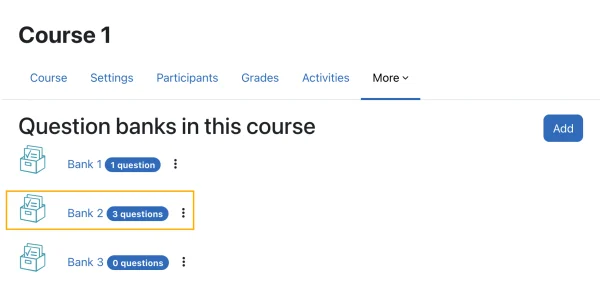
Users can now collapse and expand question bank categories - similar to the course categories - and edit category names directly within the interface. In addition, the question bank layout now displays question counts for each category and supports moving entire categories, including their subcategories and questions within.
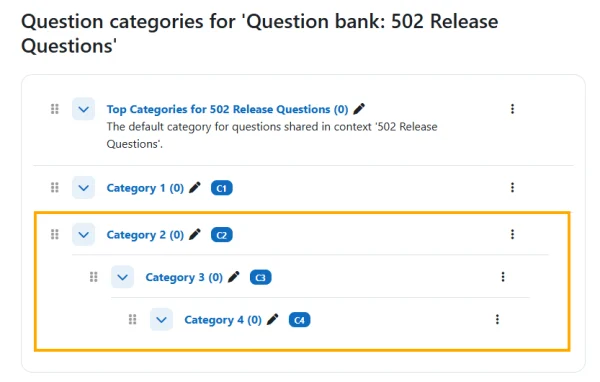
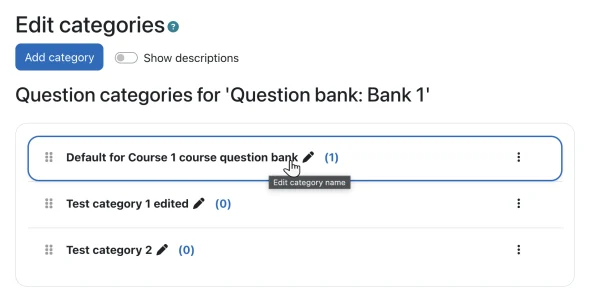
Overall, these updates continue broader improvements to usability and consistency across quiz and question bank pages.
Verbesserungen im Forum
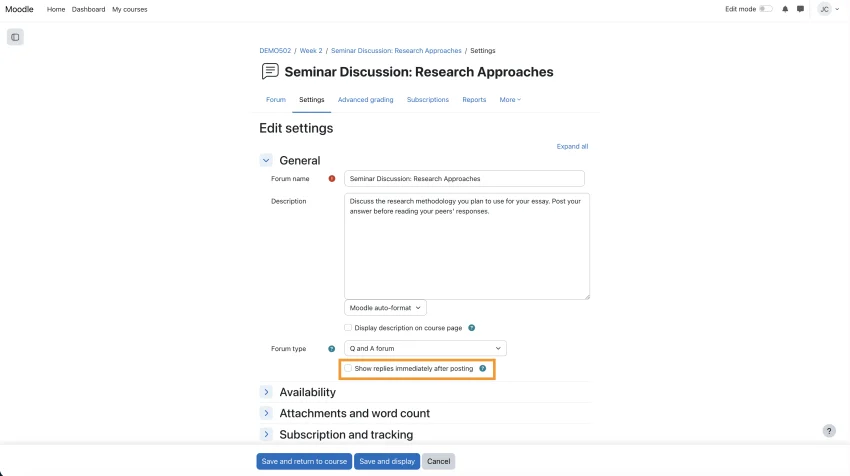
Forums are now more effective for collaboration, with Q&A discussions supporting real-time visibility of responses to enable faster, more interactive engagement during live sessions.
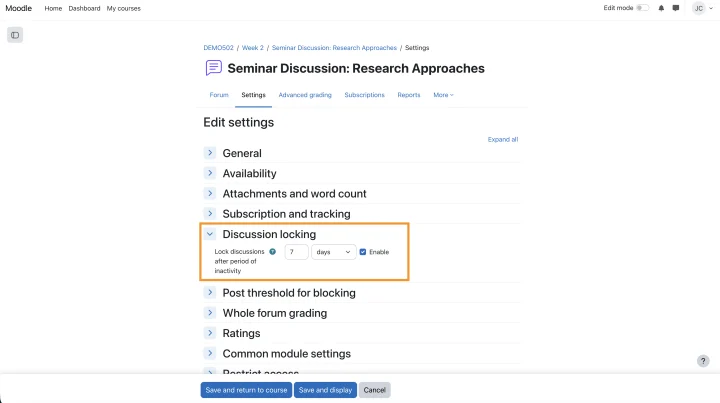
Additionally, expanded inactivity-based locking options—ranging from a few days to several years—give educators and institutions greater flexibility to manage discussion lifecycles based on their specific needs.
View responses in real-time in Q and A forum: The Questions and Answers (Q&A) forum is now better suited for live and interactive sessions. Participant replies can be displayed immediately after posting, without waiting for the maximum editing time (typically 30 minutes) to expire.
This ensures that responses are visible to others in real time, enabling quicker reactions, more dynamic discussions, and the ability to address questions or share insights instantly during live teaching or collaboration scenarios.
Inactivity based forum locking: This enhancement introduces additional configuration options to the existing automatic locking functionality, allowing discussions to be locked after more varied periods of inactivity. New options include:
- Short-term durations (e.g. 2 days, 3 days) to support fast-paced or time-bound discussions
- Long-term durations (e.g. 2 years, 3 years, 5 years) for archival or compliance-driven use cases
This flexibility ensures that forum discussions can be managed in a way that aligns with different teaching styles, course lifecycles, and institutional policies.
LMS base font size: The default font size is set to 1rem/16px for improved readability.