
WueCampus - Anleitung für Dozenten und Kursbetreuer
Neue Funktionen mit WueCampus 5.1
New Features with WueCampus 5.1
We provide in WueCampus Version 5.1 all new Features that are implemented in Moodle 5.1. Those are the following features:
Activities in the Activity chooser are grouped by purpose: assessment, collaboration, communication, resources, and interactive content.
Activity information includes purpose categories and whether the activity is gradable. You can find those informations per activity by clicking the icon.
When selecting an activity, an Add button improves clarity and control. To go straight to the Add activity page, double-click the activity.
Find out more informations about the Activity chooser here
The Activities overview shows dates and other information for for all core activities, including Choice, Forum, Glossary, H5P, Lesson, SCORM and Quiz.
You can find this overview in your course under the course navigation at "More" > "Activity overview"
Find out more informations about the Activity Overview here
A new block available starting with WueCampus 5.1 is the “Additional Activities” block.
While this block is less useful in a course format with many activities, it fully demonstrates its utility in the “Single Activity” course format.
Normally, in this course format, you are limited to a single activity that is displayed to your students immediately upon entering the course.
However, with this block, you can display additional activities, such as forums, quizzes, or others, within your single activity.
Find out more informations about this new Block here
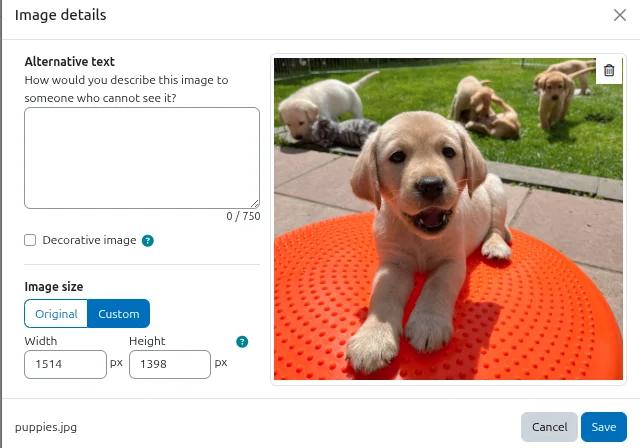
Starting with this Update, there is optical enhancements to the primary Editor TinyMCE. For example the dialog windows for picture- and mediauploads has a new improved design.
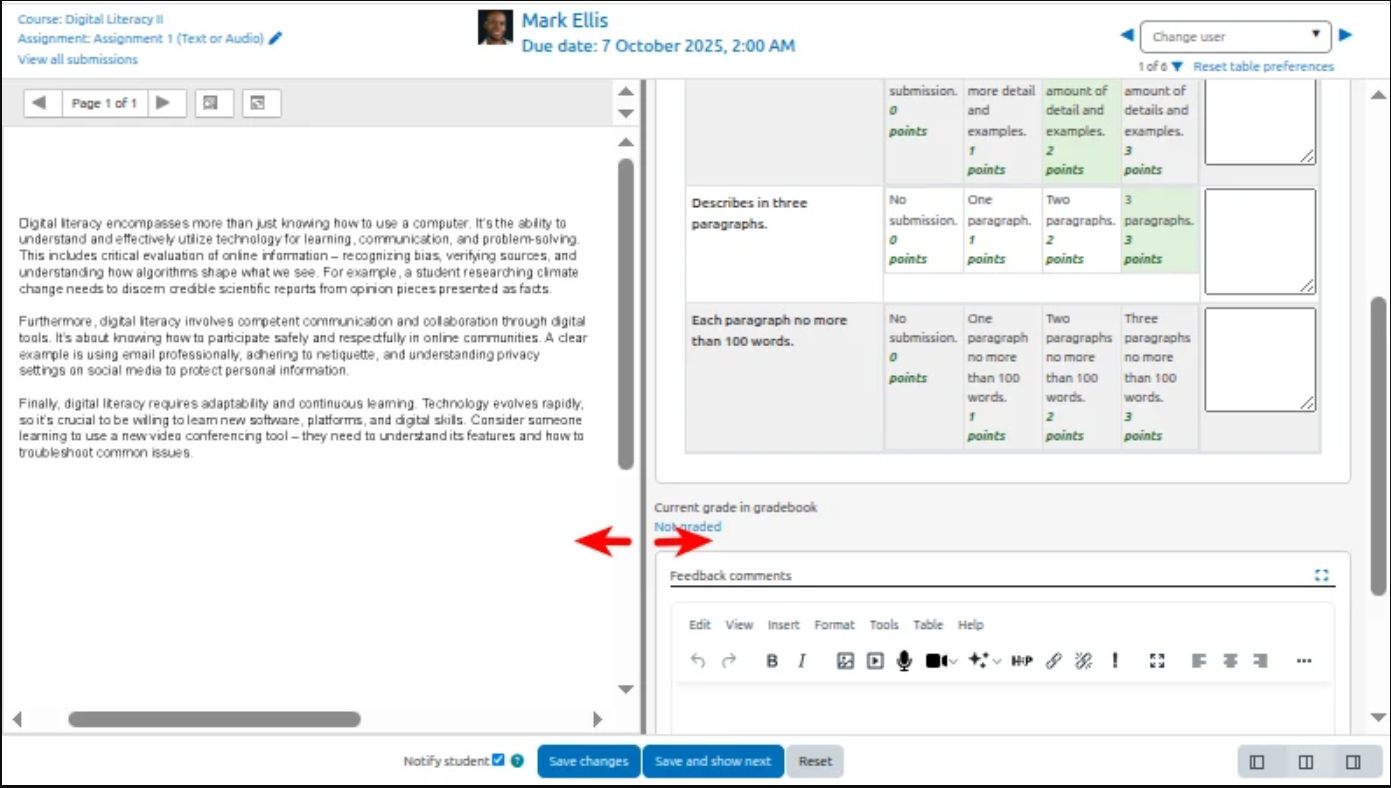
Assignment grader panels can be resized by dragging the dividing border, allowing more space for advanced grading methods.
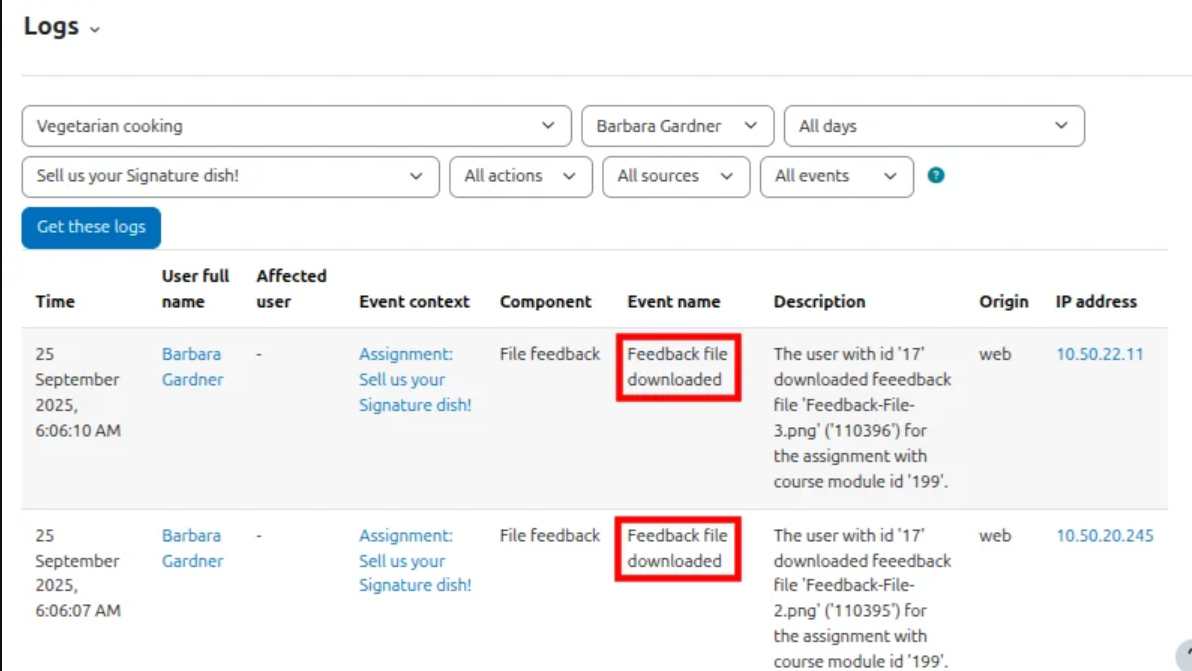
Feedback file downloading is logged, so teachers can check how many students downloaded the files.
Feedback file downloading is logged, so teachers can check how many students downloaded the files.
In addition, there are several improvements to labels, descriptions, and reports.
For example, you can now filter by group in the activity summary report, each activity now has a “permanent link” option, and the labels for “hidden sections” have been described more accurately.
Features related to AI tools and SMS notifications are currently not available in WueCampus!
Neue Aktivitäten und Verbesserungen mit WueCampus 5.1
New Activities and Enhancements with WueCampus 5.1
In addition to the features mentioned above that are included in Moodle 5.1, two new learning resources and two new tools to make life easier for instructors and course coordinators are also available.
This activity allows participants to discuss topics and create posts using post-it boards that include text, images, URL links, or embedded videos.
Instructors and course coordinators can configure boards in various ways; a handful of pre-designed templates are available for this purpose, such as: EXIT tickets,
icebreakers, project boards like KANBAN or ticket-based, as well as a few reflection and didactic standard templates. Simply choose one that suits your needs and explore all the possibilities.
You can also use your own settings instead of the board templates.
This activity also offers a group or single mode. This means your participants can share information on a board together, or you can use the single view to review and evaluate one board per participant.
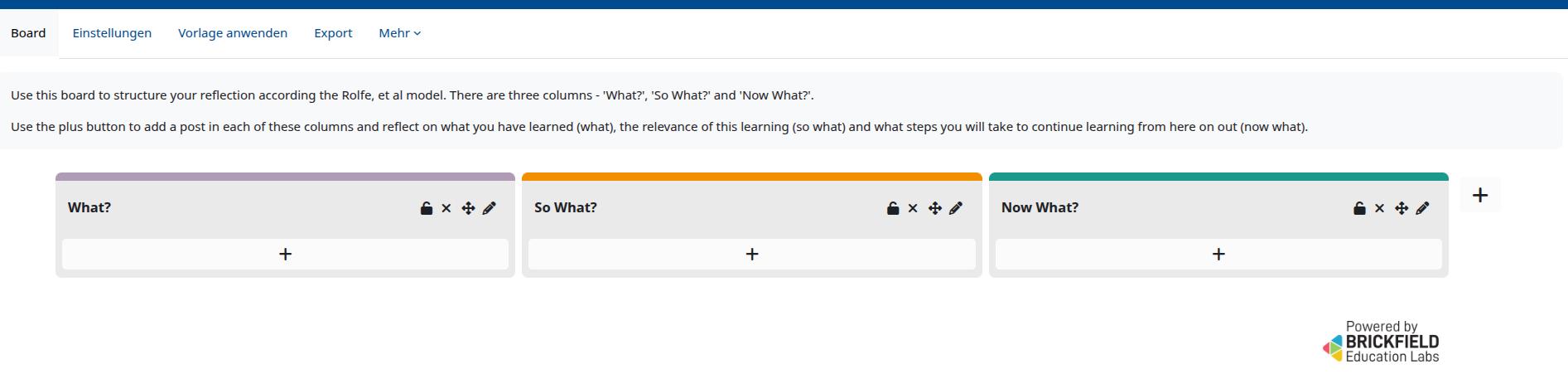
For more information about the Activity Board, click here
For more information about the Activity Board, click here
The PDF Annotation activity allows students to add questions, notes, and comments to a PDF document.
Since all students, instructors, and tutors can read and respond to the questions, any topic regarding lecture slides, lecture notes, and other learning materials can be discussed directly in the correspoding PDF.
For more informations about the usage of the PDF-Annotation Activity, click here.
This block was previously available in a slightly different form in WueCampus version 4.0 and later, but was replaced by the batch operation from Moodle.
Now this block is back and offers exactly those features that are still missing in standard Moodle.
With this block, you can hide, delete, and edit your course content all at once.
You can also move and copy your activities, and (unlike in the standard implementation) do so across all courses in which you are a instructor or course instructor.
With this new implementation, the new question banks are once again correctly moved and referenced in all Moodle 5 versions.
You can find more information about this section here.
If you use TinyMCE as your default editor, you will quickly reach the limits of the built-in formatting options.
That’s where TinyMCE style templates come in. These allow administrators to define more complex HTML structures.
Less html-experienced users can then select these style templates, and the selected text will be neatly inserted into the more complex styles.
This allows you, for example, to quickly format text to be inserted in blue alert boxes or frames without having to make changes to the source code.
Over time, we will be adding more styling templates, so it’s worth checking this menu item frequently.
You can find more information about the design templates here